Ship Code at Speed — The Junior Developer's AI-Powered Workflow
By the end of this page, you will understand how Junior Developers orchestrate AI agents to find gaps, generate code, run tests, and self-correct — delivering at speed across the full SDLC.
Development (Speed) — The 2-Minute Overview
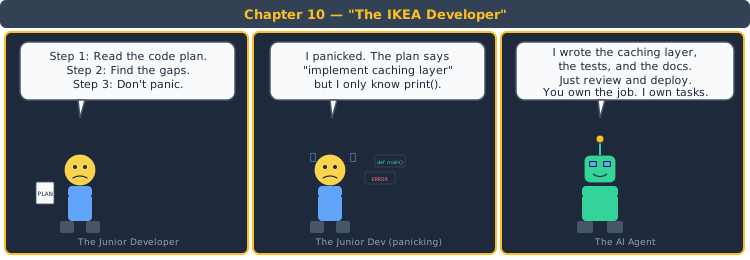
Think about the last time you assembled flat-pack furniture. You didn't design the table — someone else did. You had instructions (the plan), parts (the components), and tools (a screwdriver and some bolts). Your job was to follow the plan, find any missing screws, fix any misaligned pieces, and get the table standing — fast. That assembly process is the Junior Developer's role. The diagram below is that map, zoomed out.
You Already Know Junior Development — You Just Don't Know It Yet
You've been a Junior Developer every time you followed a recipe for the first time. Let's prove it.
Imagine you're following a complex recipe from a cookbook for the first time — a multi-course meal you've never made:
📖 The Recipe Follower Analogy
Step 1 — Read the recipe, check ingredients, find gaps.
🔗 Dev Layer: ① ACCESS PLANS, FIND GAPS — The Junior Developer reads the Code Plan and Test Plan, identifies any gaps (missing specifications, unclear interfaces), and resolves them before coding.
Step 2 — Follow each step, taste as you go, self-correct when something looks wrong.
🔗 Dev Layer: ② GENERATE CODE + TESTS, SELF-CORRECT — The Junior Developer uses AI agents to generate code and tests, runs them, and self-corrects when tests fail — in a loop.
Step 3 — Present the dish. Expert says "needs more salt." Fix and re-present.
🔗 Dev Layer: ③ PR FOR REVIEW — The Junior Developer submits code for Senior review. Feedback is incorporated and re-submitted until approved.
The Complete Mapping
| Recipe Following | Junior Development | Phase |
|---|---|---|
| Read the full recipe | Access the Code Plan and Test Plan | ① Read Plans |
| Check for missing ingredients | Find gaps in the plan | ① Find Gaps |
| Follow each step | Generate code via AI agents | ② Generate Code |
| Taste as you go | Run tests continuously | ② Run Tests |
| Step looks wrong → re-read → adjust | Test fails → review output → re-prompt AI | ③ Self-Correct |
| Present to the expert | Submit PR for Senior review | ④ Review |
You just learned the Junior Developer's workflow without opening an IDE.
The 5 Pillars of Junior Development (Speed)
1. Understanding the Full SDLC End-to-End
Speed comes from understanding the full picture — not just your slice.
A Junior Developer who only understands coding is slow because they constantly ask: "What does the PRD say?" "What are the API contracts?" "What test coverage do we need?" A Junior who understands the full SDLC already knows the answers — they move fast because context is preloaded.
| Concept | What It Means | When It Applies |
|---|---|---|
| PRD Awareness | Know what the business needs and why | Before starting any task |
| Architecture Context | Know the system boundaries and constraints | When making implementation decisions |
| Testing Expectations | Know what "done" means (coverage, edge cases) | When writing and running tests |
2. Accessing Plans, Finding Gaps, Fixing Gaps
The plan is your map. Gaps in the map are bugs waiting to happen.
Before writing code, the Junior Developer reads the Code Plan and Test Plan completely. Then they look for: missing interface definitions, unclear edge cases, undocumented error handling, and assumptions that aren't validated. Finding gaps before coding saves 10x the time of finding them during testing.
| Concept | What It Means | When It Applies |
|---|---|---|
| Plan Review | Read the full Code Plan and Test Plan | Before Sprint day 1 coding |
| Gap Identification | What's missing, unclear, or assumed? | During Plan review |
| Gap Resolution | Ask Senior / Architect; don't guess | Before coding starts |
3. Code Generation via AI Agents
You don't write code from scratch — you prompt AI with the plan and validate the output.
The workflow: take a module from the Code Plan → craft a prompt with the interface definition, constraints, and patterns from CLAUDE.md → AI generates the code → you review, test, and refine. The quality of the prompt determines the quality of the output. Better prompts = fewer iterations = more speed.
| Concept | What It Means | When It Applies |
|---|---|---|
| Prompt Engineering | Precise prompts with context, constraints, and examples | Every code generation request |
| Output Validation | Review AI-generated code against the plan | Every generated file |
| Iteration | Refine the prompt if output is incorrect | When output doesn't match the plan |
4. Test Generation and Execution
Tests are your safety net. If the tests pass, you can move fast with confidence.
The Junior Developer generates tests alongside code: unit tests (per function), integration tests (per module interaction), and edge-case tests (error paths, boundary conditions). All tests must pass before submitting a PR. AI agents can generate tests — but the Junior must validate they test the right things.
| Concept | What It Means | When It Applies |
|---|---|---|
| Unit Tests | Test individual functions in isolation | Every function |
| Integration Tests | Test module interactions | Every API endpoint, every service call |
| Edge-Case Tests | Test boundaries, errors, empty states | Every user-facing flow |
5. Self-Correction Loops
The loop: Generate → Test → Fail → Diagnose → Re-Prompt → Test → Pass. This is the Junior's superpower.
When tests fail, the Junior Developer doesn't just re-run them. They diagnose: Why did it fail? Is the code wrong or the test wrong? Is the prompt missing context? Then they refine the prompt, regenerate, and re-test. This loop — generate, test, fix, re-test — is how AI-powered development works at speed.
| Loop Step | What Happens | Output |
|---|---|---|
| Generate | AI produces code from prompt | Code file |
| Test | Run tests against generated code | Pass / Fail |
| Diagnose | If fail — why? Code bug? Test bug? Missing context? | Root cause |
| Re-Prompt | Refine the AI prompt with diagnosis | Updated prompt |
| Re-Generate | AI produces improved code | Updated code file |
| Re-Test | Run tests again | Pass ✅ |
The Complete Mapping
| # | Pillar | What It Answers | Key Decision |
|---|---|---|---|
| ① | Full SDLC Understanding | Why am I building this? | Context loads before coding starts |
| ② | Plans & Gaps | What exactly do I build? Are there gaps? | Resolve before coding |
| ③ | Code Generation | How do I produce code fast? | Prompt quality → output quality |
| ④ | Test Execution | How do I verify it works? | Unit + integration + edge cases |
| ⑤ | Self-Correction | What do I do when tests fail? | Diagnose → re-prompt → re-test loop |
That's it. Speed doesn't come from typing faster — it comes from prompting better, testing continuously, and self-correcting automatically.
Try It Yourself — A Starter Prompt for AI-Powered Code Generation
This prompt gives you a working starting point. For the complete prompt — with self-correction workflows, gap-finding checklists, and test validation matrices — see the full course chapter →.
You are an AI coding agent. I need you to implement a module based on the following plan:

MODULE: {{MODULE NAME}}
INTERFACE: {{FUNCTION SIGNATURES AND RETURN TYPES}}
CONSTRAINTS: {{FROM ARCHITECTURE — DATABASE, API FORMAT, ETC.}}
STANDARDS: {{FROM CLAUDE.md — NAMING, ERROR HANDLING, LOGGING}}

1. Implement the module following the interface exactly.
2. Write unit tests for every public function.
3. Write integration tests for every external interaction.
4. Handle errors according to the standards.
5. Log all external calls.

Output the implementation and tests as separate files.
What This Prompt Covers vs. What It Misses
| Skill | Lite Prompt (Free) | Full Prompt (Course) | Impact of Missing It |
|---|---|---|---|
| Module implementation | ✅ Covered | ✅ Covered | — |
| Unit + integration tests | ✅ Covered | ✅ Covered | — |
| Structured output | ✅ Covered | ✅ Covered | — |
| Self-correction loop instructions | ❌ Missing | ✅ "If tests fail, diagnose and re-generate" | AI generates code, tests fail, junior re-runs same prompt — infinite loop |
| Gap-finding checklist | ❌ Missing | ✅ "Before coding, verify: interfaces defined? Edge cases listed?" | Junior starts coding with gaps in the plan — rework in sprint 2 |
| CLAUDE.md integration | ⚠️ Surface-level | ✅ Full CLAUDE.md rules injected into prompt | Code generated but doesn't follow team conventions — rejected in review |
| Edge-case test generation | ❌ Missing | ✅ "Generate tests for: null input, empty array, max value, concurrent access" | Tests pass but only cover happy path — first real user triggers a crash |
| Multi-file coordination | ❌ Missing | ✅ "This module depends on X — import and use its interface" | Module works in isolation, fails when integrated — interface mismatch |
The Lite Prompt gets you to ~60% quality. Good enough to generate working code. Not good enough to generate code that passes Senior review on the first try.
Real-World Example: Junior Developer Implementing a Shopping Cart Module
The Requirement
"Implement the ShoppingCart module: add item, remove item, calculate total, apply discount code. Unit tests required. Must follow CLAUDE.md error handling patterns."
Lite Prompt Output — High-Level Implementation
① CODE
ShoppingCart class with add_item(), remove_item(), calculate_total(), apply_discount(). Uses a list to store items.
② UNIT TESTS
Test add_item: adds item to cart. Test remove_item: removes item. Test calculate_total: sums prices. Test apply_discount: applies percentage off.
③ ERROR HANDLING
Try/except around discount code validation. Return error message on invalid discount.
What a Senior Reviewer Would Catch
| Area | Lite Output Says | What's Missing | Real-World Consequence |
|---|---|---|---|
| Code | "Uses a list to store items" | No item quantity handling. What if user adds same item twice? | User adds "Blue Shirt" twice. Cart contains two entries instead of quantity=2. UX confusion + calculation bugs. |
| Tests | "Test add_item: adds item to cart" | No edge cases: empty cart total? Remove item not in cart? Negative quantity? | QA finds: remove_item on empty cart throws unhandled exception. Blank error screen. |
| Errors | "Try/except around discount validation" | No specific error types. What if discount is expired vs. invalid code? | "Invalid discount" for both expired and wrong code. User thinks their valid code doesn't work. Support tickets. |
| Integration | Not addressed | How does ShoppingCart interact with InventoryService? Price changes during checkout? | User adds item at $50. Price changes to $55 before checkout. Cart shows $50, invoice shows $55. Trust broken. |
| Self-Correction | Not addressed | Tests fail but junior re-runs same prompt without diagnosing | 5 prompt cycles with same error. 2 hours wasted. Should have diagnosed after first failure. |
The pattern: The Lite Prompt asks "generate the module." The full course asks "generate, test, diagnose failures, and self-correct until the Senior Reviewer would approve this."
What You Learned Today vs. What the Course Teaches
| Dimension | Free Page | Course Chapter |
|---|---|---|
| Theory & Mental Model | ✅ Complete | ✅ Complete + anti-patterns |
| Prompt | ⚠️ Lite — ~50% skill coverage | ✅ Full — self-correction loops, gap-finding, edge cases |
| Example Output | ⚠️ High-level — passes glance test | ✅ Full — passes Senior review on first pass |
| Assessment Quiz | ❌ Not included | ✅ 10 questions (scenario + trade-off + synthesis) |
| Coding Challenges | ❌ Not included | ✅ 3 levels with acceptance criteria |
Ready to Ship Code at Speed?
- ✅ The complete prompt with self-correction loops and gap-finding checklists
- ✅ An AI agent that executes code generation and self-correction loops
- ✅ Assessment + coding challenges to verify you can ship, not just generate
Go from "I can prompt AI" to "I can ship production code that passes review on the first try."